Get the next one in your inbox
Practical tips for working in a club. Occasional emails, easy unsubscribe.
Site-Wide Notices, Auto-Generated Sitemaps, and a Payment History on Member Profiles
04/23/2026
A handful of updates over the past year touch how your site shows information to members and visitors, and how it surfaces things to search engines. None of these are huge solo features, but together they're worth a tour.
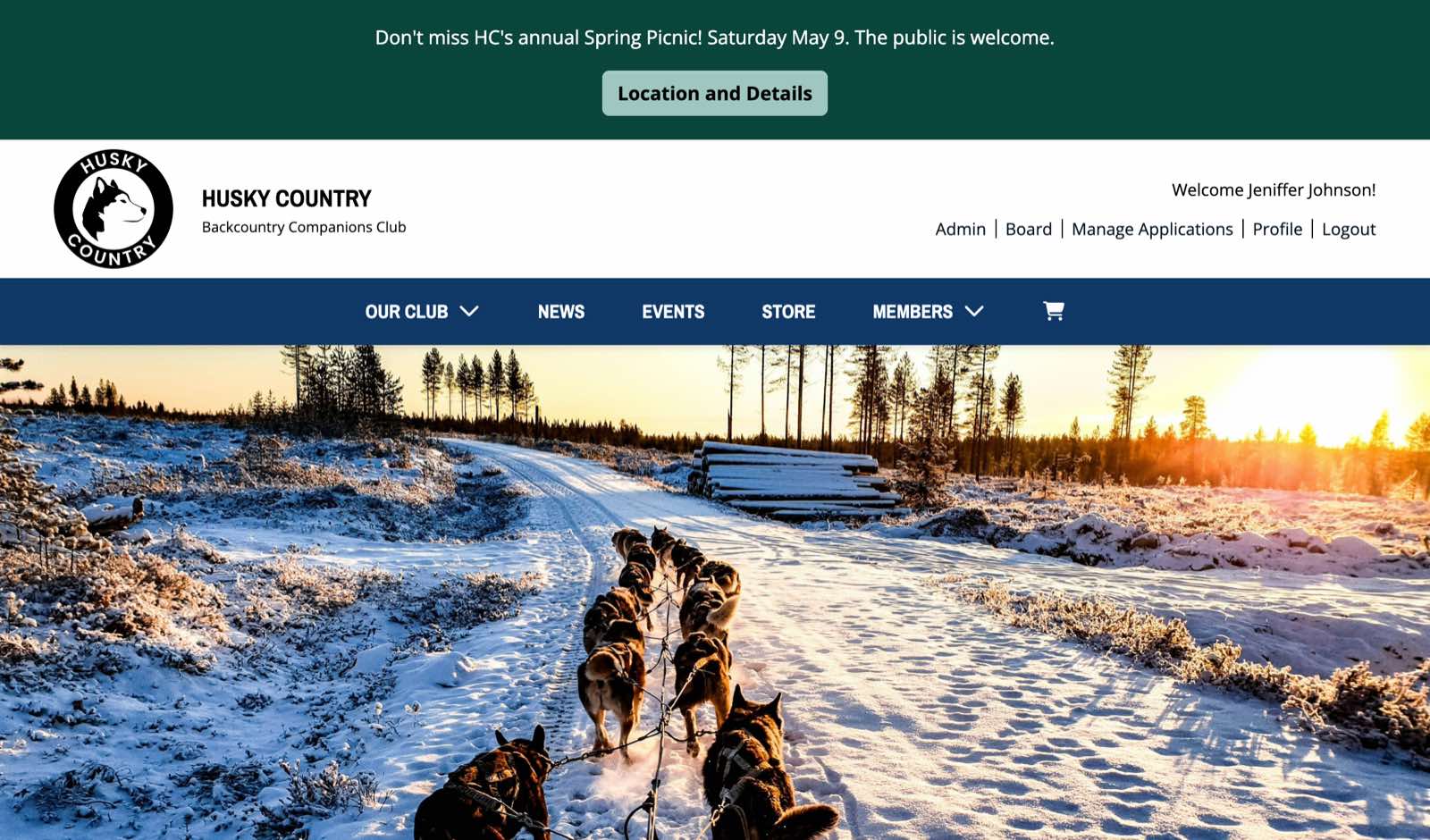
Site-wide notices
You can now post a brief notice at the top of every page on your site, either above or below the header. Notices are useful for short, time-sensitive messages, such as these.
- "Annual meeting is next Saturday. Last call to RSVP."
- "Office closed this week for the holiday."
- "Renewal season is open. Check your email for your reminder."
You can have one active notice or several queued, and you control whether each one is currently active. Notices are managed in the Club Management Portal alongside your other content.
Auto-generated sitemap.xml
Your site now has an automatically maintained sitemap at /sitemap.xml. A sitemap is a file search engines use to discover and prioritize the pages on your site. Yours updates automatically when you add or change content, and you don't need to do anything to set it up. Search engines find it on their own.
If you want to be thorough, you can also submit the sitemap URL to Google Search Console for your domain, but that's optional. Most clubs will see search-discovery improvements without taking any action at all.
Payment History on member profiles
Members can now see a complete record of every payment they've made through your site, right from their profile page. Dues payments, e-commerce orders, and custom-form payments all live in one history they can view at any time.
Members can answer their own "what did I pay last year?" questions without emailing the treasurer, and they get clear confirmation that everything they've paid is on file.
Email reply-to fixes
A couple of older bugs around the reply-to address on outgoing emails have been fixed. When a member hits Reply to a renewal reminder or other system email, the reply now goes where you'd expect (your club's contact email, not a no-reply address).
Custom-domain links preserve the page path
A small fix for clubs using a custom domain with an alternate URL configured. Previously, a visitor following a link to a specific page on the alternate domain landed on the home page regardless of the link they clicked. Now the link takes them to the correct page. If your site uses a single domain only, you won't notice any change.
Like this? Get the next one in your inbox.
Practical articles, tips, and ideas for working in a club. Occasional emails, easy unsubscribe.