Get the next one in your inbox
Practical tips for working in a club. Occasional emails, easy unsubscribe.
Big Roster Updates: Choose Your Columns, Add a Board View, and Download to CSV
01/08/2026
The member roster is one of the most-used pages on most club websites, and it has been one of the least flexible parts of Clubistry. That changed with this release. You can now choose which columns appear, what order they're in, and whether members on certain membership types appear at all. The roster page also offers a CSV download that matches what's on screen, so you can pull a fresh list any time without writing a report from scratch.
These were among the most-requested features in your feedback, and we're glad to have them in your hands.
Choose what shows on your roster
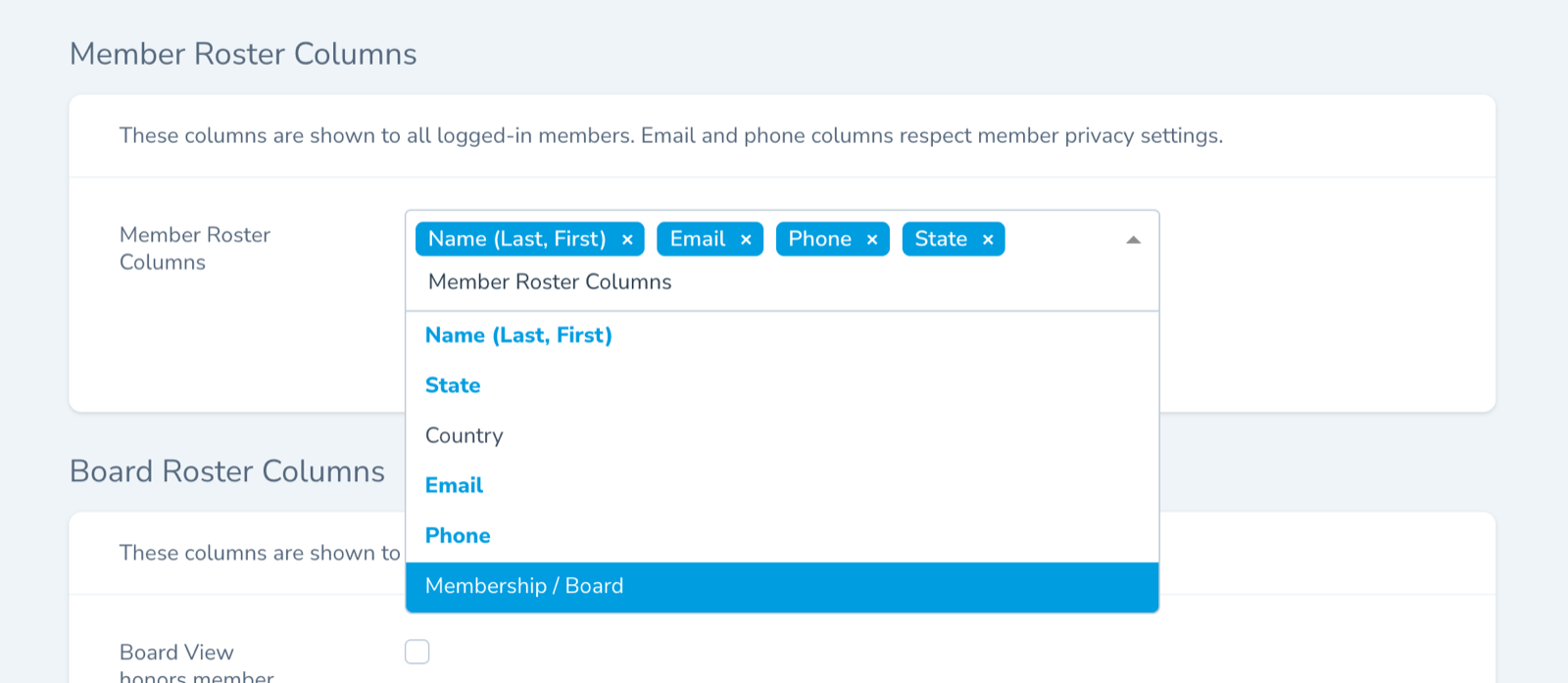
In your Club Management Portal, go to Site Settings and look for the new Roster Settings panel. There you'll find a column picker for the member roster. Turn on the columns your members find useful, set the order you want them in, and save.
The choices you make here apply to the public-facing roster page on your site. Members see exactly the columns you select, in the order you set.
A separate view for the board
Boards often need a different cut of the same data. You might want phone numbers and addresses visible in the board roster but not the public one. The Roster Settings panel now has a second column picker just for the board view, with its own selection and ordering.
The board view also has its own setting for whether to honor member privacy choices. Some clubs want the board view to show phone and address even when a member has hidden those on the public roster, since boards often need to reach members directly. Others prefer to honor the member's choice on every view. The setting lets you decide which way works for your club.
Hide membership types you don't want listed
If your club has membership types you'd rather not have appear on the roster, the new Roster Membership Types setting lets you choose which ones show up. This is useful for hiding test membership types you set up while learning the system, or for hiding Juniors so children's contact details aren't displayed even to the membership.
Download what you see
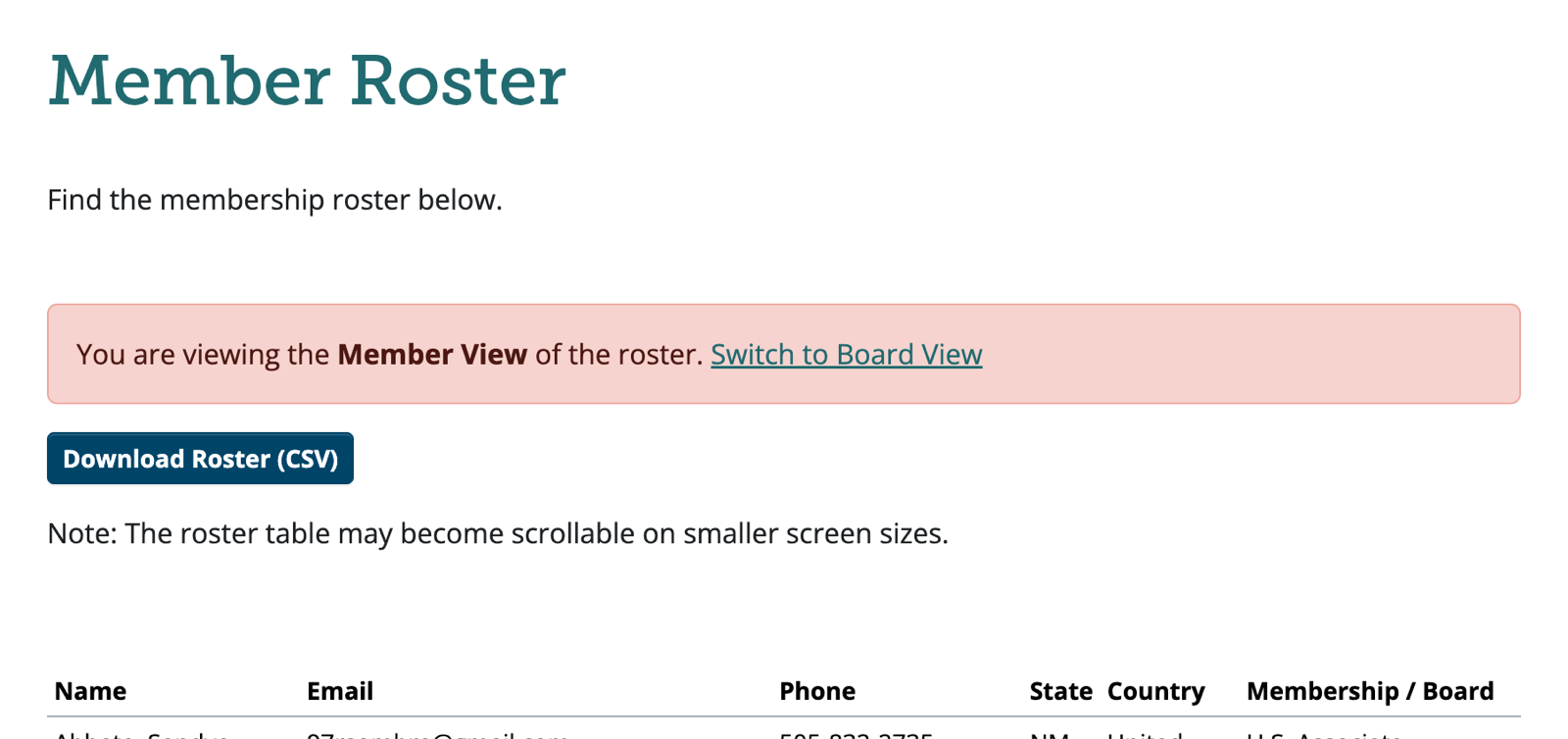
The roster page now has a CSV download button. The download mirrors whatever the on-screen roster shows, so if you've narrowed the columns and reordered them, the CSV reflects that exactly. No more exporting a giant spreadsheet and pruning columns by hand.
Like this? Get the next one in your inbox.
Practical articles, tips, and ideas for working in a club. Occasional emails, easy unsubscribe.