Get the next one in your inbox
Practical tips for working in a club. Occasional emails, easy unsubscribe.
Admin Polish: Easier Settings, Sticky Save Buttons, Permission Icons, and More
01/22/2026
Several updates over the past year focused on making the Club Management Portal a little quieter and a little easier to use. Most are small on their own, but they add up to less scrolling, less hunting for settings, and less friction when you're managing a busy site.
Sticky save buttons
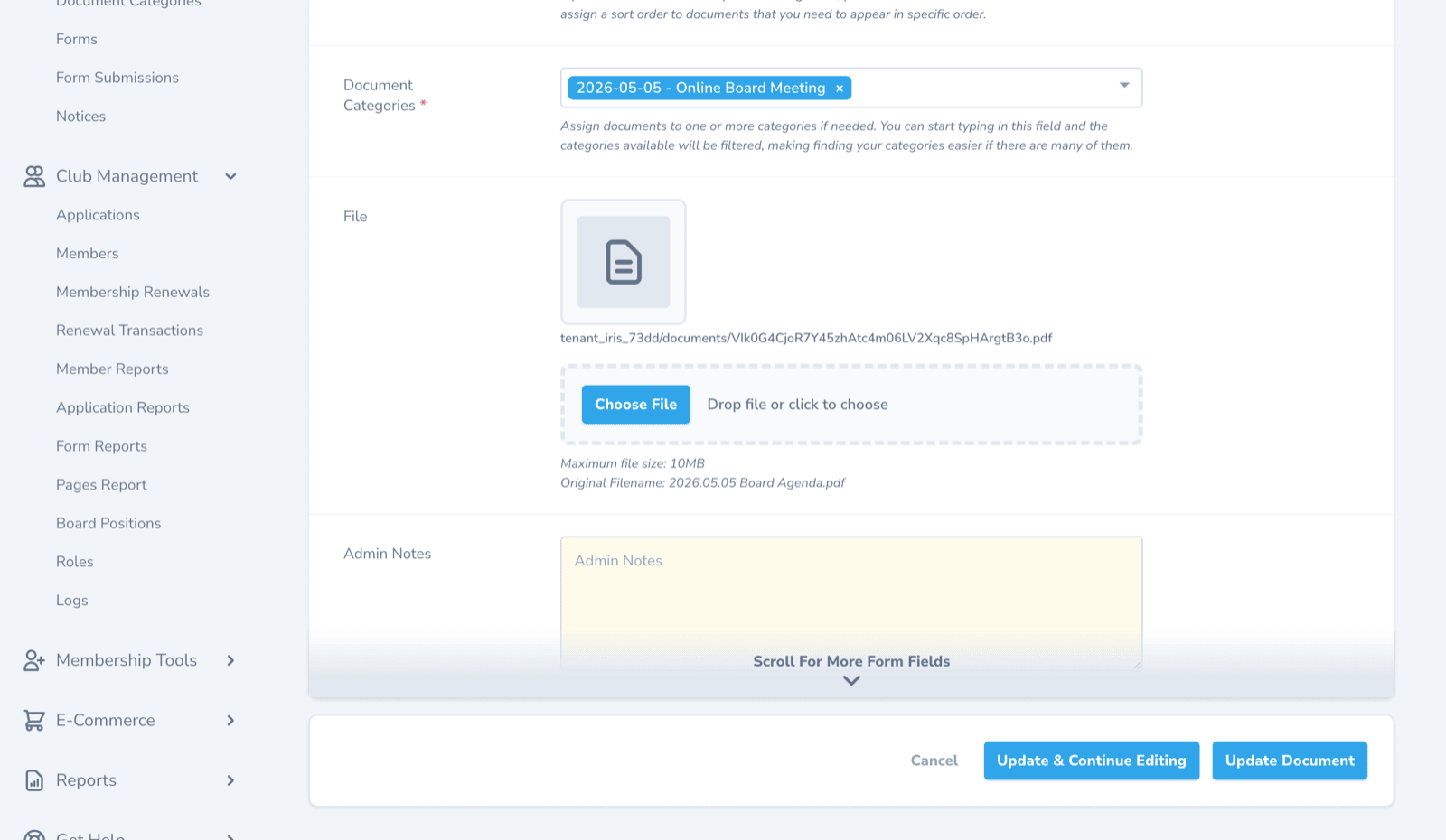
Save buttons on edit screens now stay at the bottom of your screen as you scroll. No more scrolling all the way down a long form to save and getting interrupted halfway by a phone call. Wherever you are on the page, the Save button is right there.
Site Settings, split into focused pages
Site Settings used to be one long page covering everything from your club's contact email to roster column choices to renewal reminders. It's now split into multiple smaller pages organized by topic, so you can find the setting you need without scrolling past everything else.
The smaller pages also make it less likely you'll change something accidentally while you're looking for something else.
Sidebar navigation that collapses
The left-hand navigation in the Club Management Portal now has collapsing sections. If you're working on memberships today, you can collapse the Content and E-Commerce sections out of the way and keep the Memberships section open. Next time you're working on website content, expand that section instead.
This becomes more useful as Clubistry grows. As more features arrive, more sidebar items arrive with them, and the collapsing sections help you keep your focus.
Visual permission icons on Pages and Documents
Pages and Documents in your Club Management Portal now show a small lock icon indicating who can see each item:
- Gray: public access (anyone can view)
- Green: member access (logged-in members only)
- Orange: board or other custom-role access
- Red: admin or other task-role access (Application, Content, E-Commerce, Report, or Member Manager)
The same icons appear on the front-end document lists, so members can also see at a glance which documents are public and which are members-only.
Replicate keeps permissions and categories
When you replicate a Page, Document, FAQ, News post, Event, or E-Commerce Product, the copy now includes the original's permissions and categories. Previously, you had to set those again on the copy by hand. It's less work and less chance of accidentally publishing a copy with wrong permissions.
Edit a member without filling fields you don't change
If you're an Admin or Member Manager updating a member's record, you no longer need to satisfy required-field validation for fields you aren't changing. The Join Date is still required (it's used for renewal processing), but other required fields don't get re-validated when you save an unrelated change.
Members editing their own profile still need to provide values for fields you've marked required.
Pages organized in their actual hierarchy
The Pages index in the Club Management Portal now displays pages in their parent/child hierarchy, so you can see at a glance which pages are nested under which. Drag-and-drop reordering keeps parents and children grouped, so you can't accidentally orphan a sub-page.
Updates to Form Submissions
The Form Submissions list (the admin view of everything visitors have submitted through your custom forms) picked up two improvements.
Each submission has a new Notes field for internal context. Use it to capture what follow-up you owe a sender, what response was sent, or any other note that should travel with the submission.
Spam handling has also gotten more reliable. Submissions caught by Clubistry's spam detection are now automatically marked as spam and filtered out of your default view, so they don't clutter your list of real submissions. When you want to clean them out, switch your filter to show spam, then use the "Delete All Spam Form Submissions" action from the action menu to clear them in bulk.
Like this? Get the next one in your inbox.
Practical articles, tips, and ideas for working in a club. Occasional emails, easy unsubscribe.